Start with the job you need the app to do
Some iPhone players want a single clean crosshair code. Others want to compare dot, compact, tactical, or rank-based styles before choosing. A good app should make the second task easier without slowing down the first.
Before downloading, look for a clear answer to three questions: Can you filter the library? Can you preview a setup against a scene? Can you save the result for later?
A large library only helps when the app gives you a fast way to remove irrelevant choices.
Five features that matter after day one
1. Recommendations with context
Rank, role, and playstyle are useful filters because they describe how you approach a round. Treat any recommendation as a starting point, not a promise that one shape will improve aim by itself.
2. A live, readable preview
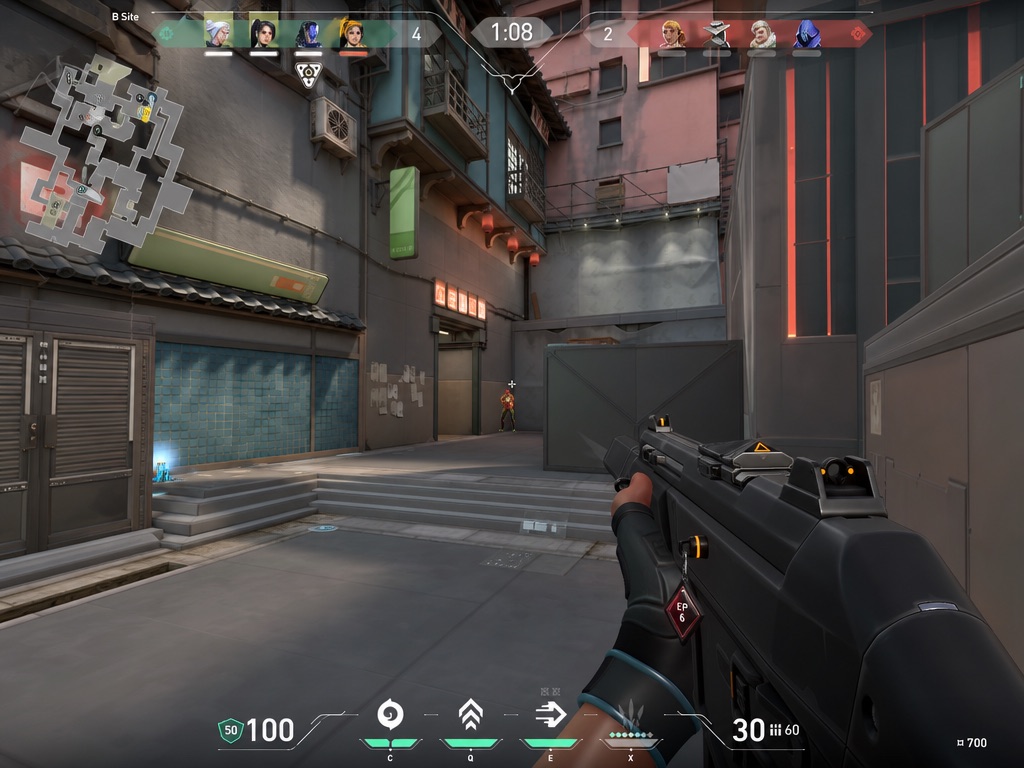
A preview should show whether the center disappears into a bright wall, a dark corner, or a busy character model. Color contrast and visual obstruction are easier to judge in a scene than on an empty black panel.
3. Controls for the settings you can actually notice
Color, line length, thickness, gap, center dot, outline, and opacity do most of the visible work. An iOS crosshair generator should expose those controls without hiding them behind several menus.
4. Focused presets and filters
Useful categories include minimal, tactical, dot-focused, rank-based, and role-based. A search field and favorites list reduce repeated scrolling.
5. A clean handoff to your game
The final setup should be easy to remember, save, or copy. The app should also explain which actions require a subscription before you reach the last step.
What to avoid
- Claims that a preset automatically improves accuracy.
- Huge unfiltered libraries with duplicate entries.
- Previews that do not show the crosshair against different backgrounds.
- Unclear pricing around code copy or export.
- Apps that present decorative styles as competitive defaults without context.
Where Crosshair X Pro fits
Crosshair X Pro is designed for iPhone on iOS 17 or later. It combines a short recommendation flow with live preview, ranked presets, saved favorites, and a detailed generator. It is free to download, with optional in-app purchases for Pro copy and export features.
Try the focused iPhone workflow
Choose a role, playstyle, rank, and color, then compare the recommendation in a real preview scene.
Download on the App Store ↗